Operational Guide

BUNN LCA-2 Bag-in-Box Coffee Setup Guide

Connect and prepare your Christopher Bean coffee concentrate in a few straightforward steps.

Before you begin: Make sure the dispenser is connected to its required utilities and has already been configured for the intended coffee ratio. Equipment installation and programming should be handled by an appropriate technician.

What You’ll Need

  • Bag-in-Box coffee concentrate
  • Pitcher or large cup
  • Clean towel
Phase 1 / 6

Prepare the Coffee Box

Christopher Bean coffee concentrate box with bag fitment

Mix the concentrate thoroughly before setup. Open the perforated panel, bring the white bag fitment through the opening and keep the box positioned securely. Leave the larger fitment attached to the bag.
Phase 2 / 6

Connect the Coffee Line

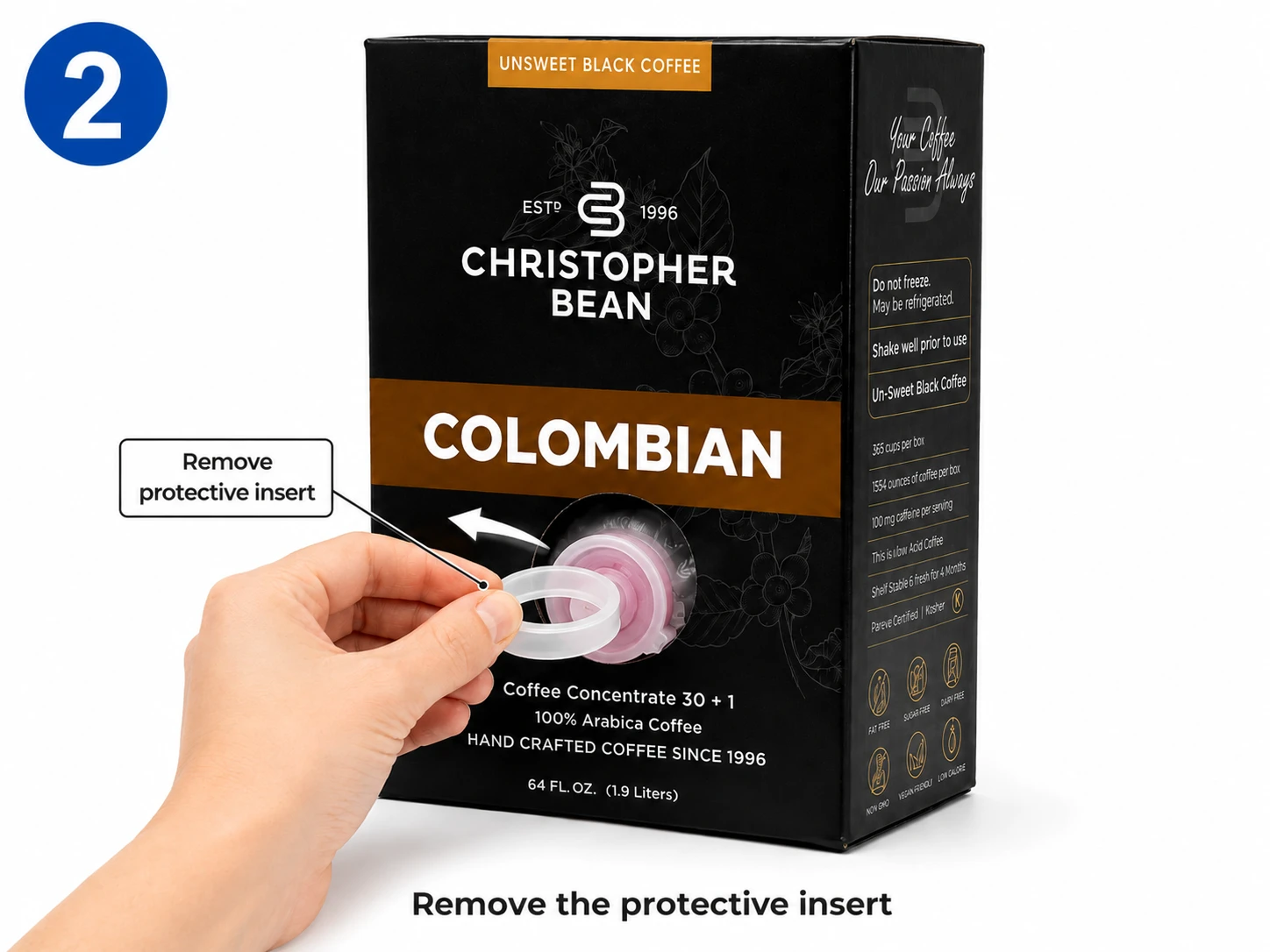
Removing the protective insert from a Christopher Bean coffee box
  1. Open the dispenser door.
  2. Locate the connector for the side you are preparing.
  3. Bring the connector toward the coffee-box fitment.
  4. Align both parts carefully before connecting them.
  5. Check that the connector is straight and fully seated.

Important:

Keep the connector straight while attaching it. Avoid forcing or cross-threading the connection.

Phase 3 / 6

Load the Coffee Box

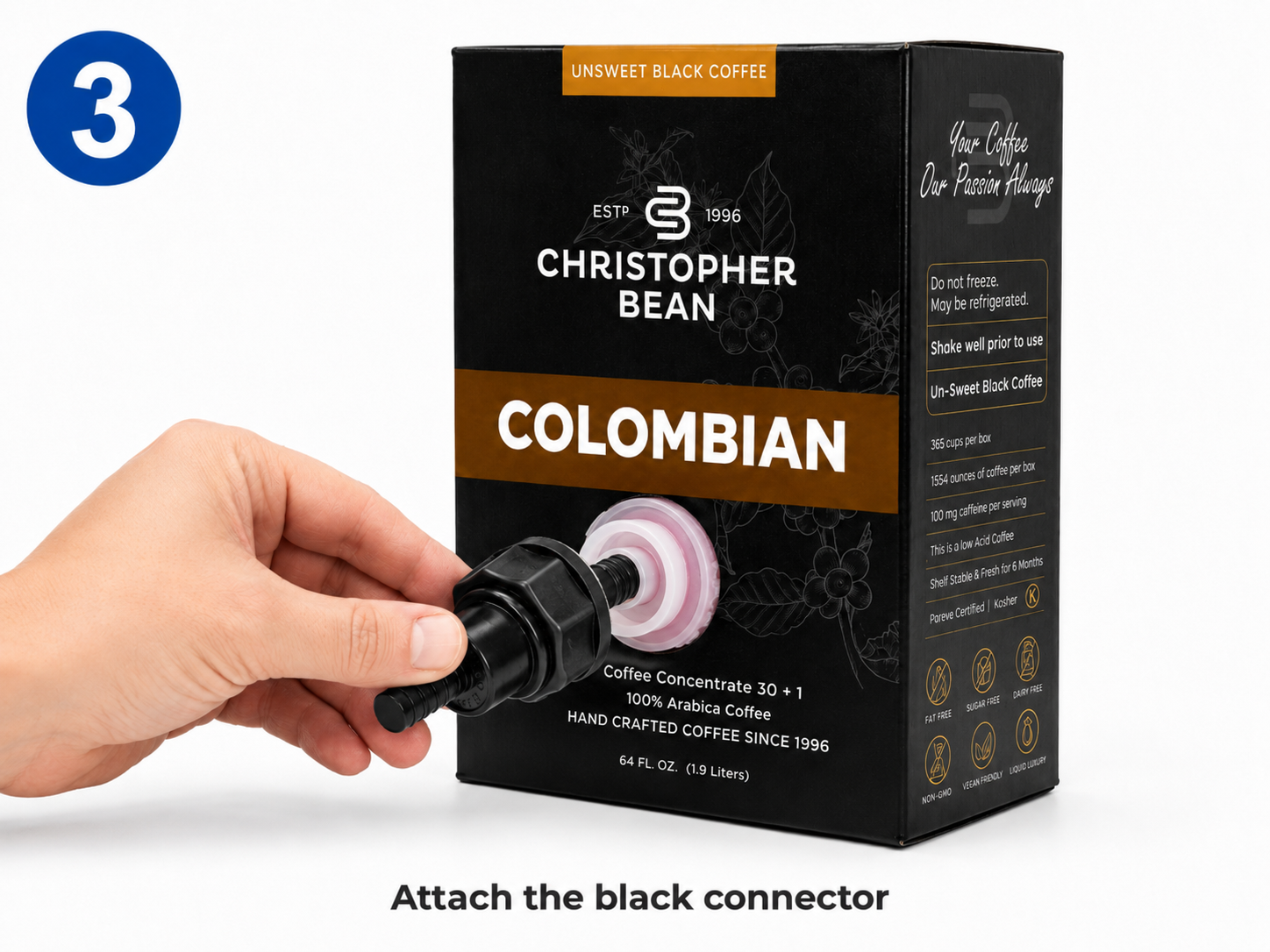
Black BIB connector attached to a Christopher Bean coffee box
  1. Place the connected coffee box upright inside the dispenser.
  2. Keep the connector positioned toward the front.
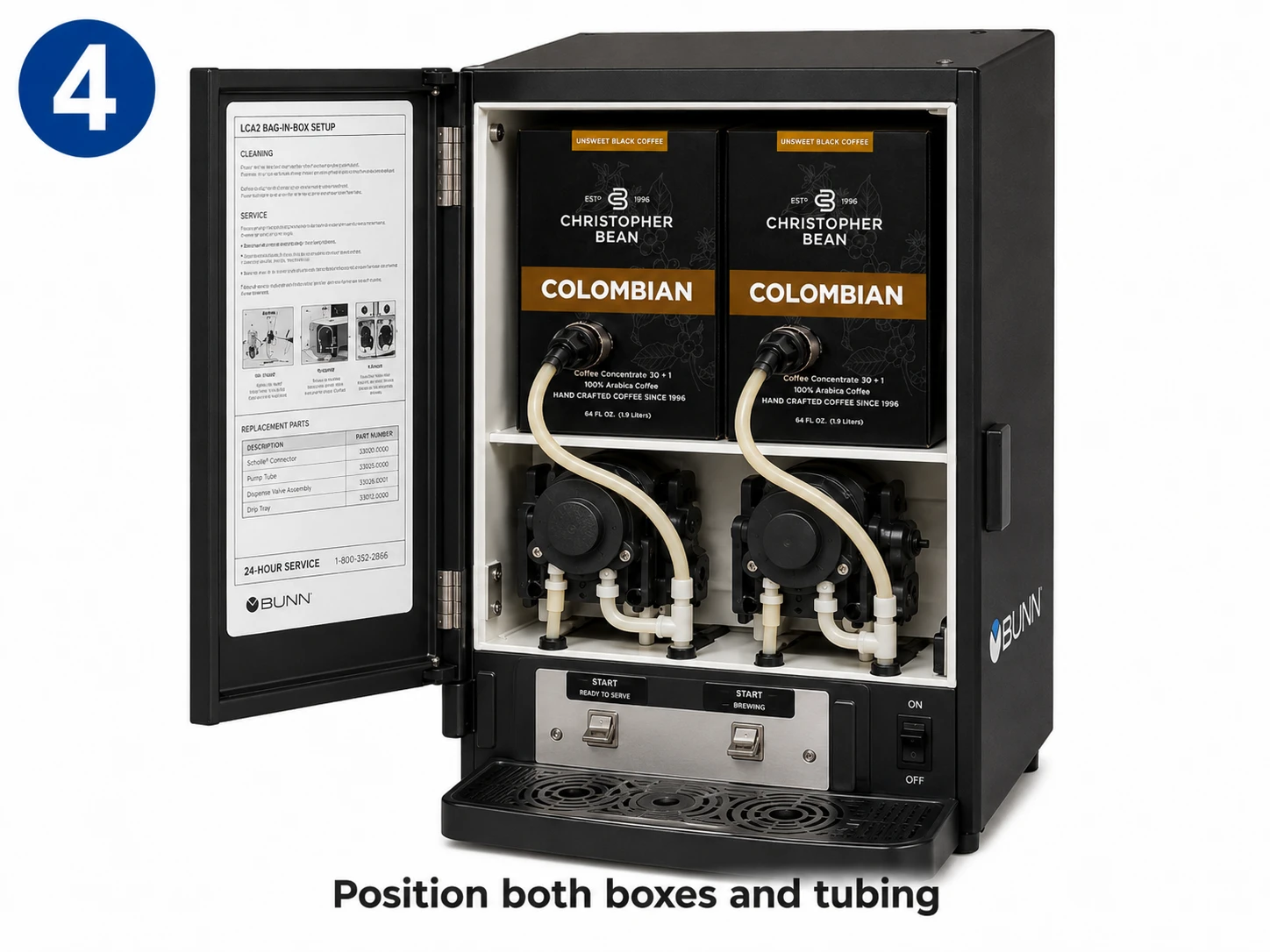
  3. Route the tubing in a smooth path around the pump area.
  4. Check the dispenser-door routing instructions when provided.

Arrange the tubing in a smooth loop.

Make sure the line cannot twist, pinch or become trapped when the dispenser door closes.

Phase 4 / 6

Prime the Coffee Line

Place a pitcher or large cup below the appropriate dispensing nozzle before beginning the priming process.

BUNN coffee dispenser loaded with two Christopher Bean coffee boxes

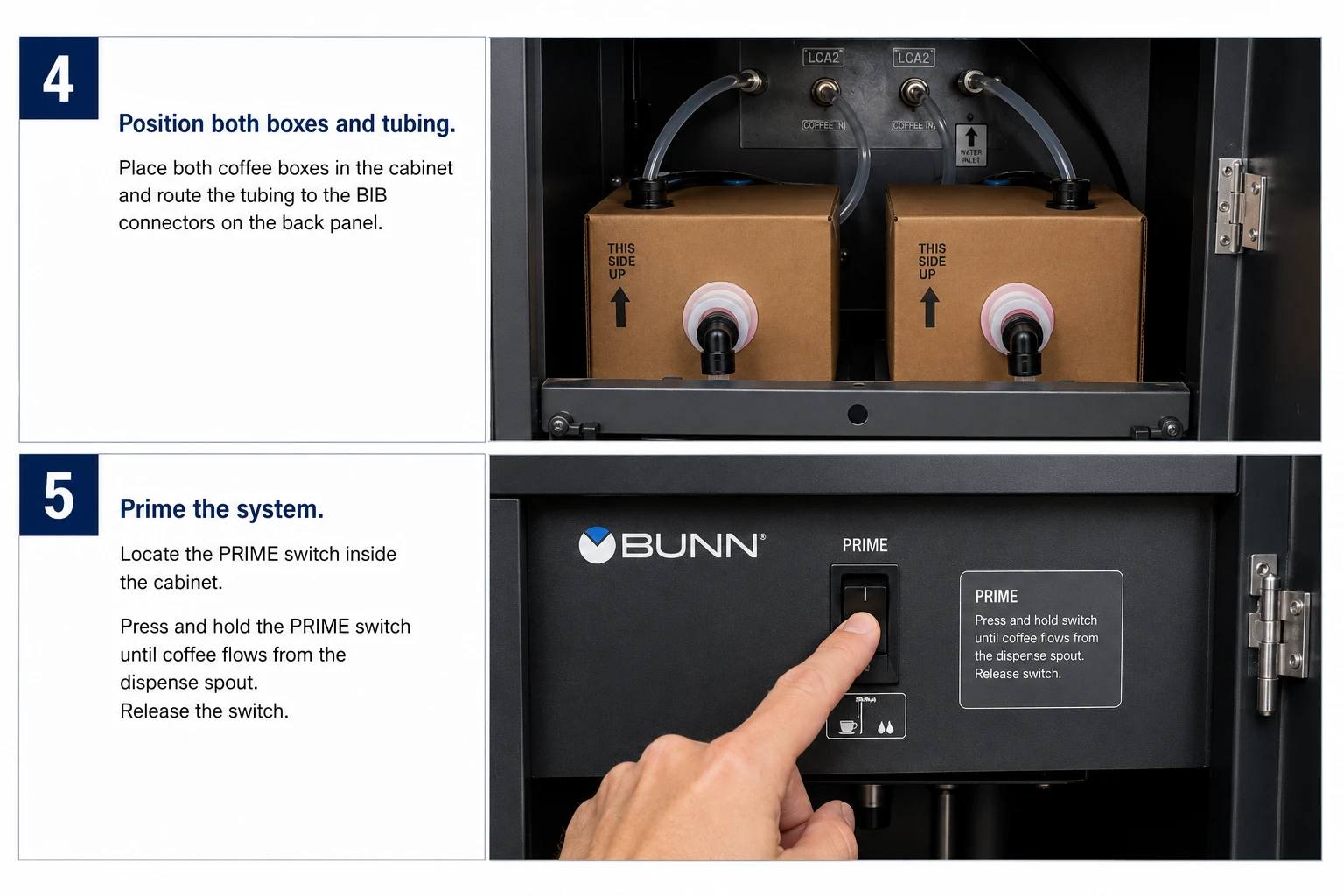
Enter Prime Mode

  1. Locate the dispenser controls inside the machine.
  2. Set the function control to its prime position.
  3. Confirm the operating mode is set for normal running.
  4. Close the door and operate the matching dispensing control.
  5. Continue until concentrate reaches the nozzle in a steady flow.
  6. Release the control once the product line has been filled.

Prime only the product line connected to a coffee box.

If both sides are loaded, repeat the process for the second product line.

Phase 5 / 6

Return the Machine to Normal Operation

BUNN dispenser setup and priming controls
  1. Open the dispenser door again.
  2. Move the function control out of prime mode and back to normal operation.
  3. Leave the machine in its standard running mode.
  4. Close the dispenser door.
  5. Discard the concentrate collected while priming.

A small amount of product can remain near the dispensing tip after priming. Follow the equipment cleaning procedure whenever necessary.

Phase 6 / 6

Test the Coffee

  1. Place a cup below the correct dispensing nozzle.
  2. Dispense a small test serving.
  3. Confirm that the flow is smooth, visually consistent and steady.
  4. Discard the initial test serving.

You’re Ready to Serve

Once the coffee dispenses consistently, the machine can return to normal service.

Quick Troubleshooting

No coffee is dispensing

Confirm that the connector is fully attached, the product line is clear, the machine is in the correct operating mode and the coffee box still contains concentrate.

Coffee is sputtering

Air may still be present in the product line. Repeat the priming process until concentrate flows steadily.

Coffee is too weak or too strong

First verify that the product line is fully primed. If the issue continues, have the dispenser ratio checked before changing its programming.

The connector is leaking

Stop using that side, inspect the connector and fitment for damage, then carefully reconnect the parts while keeping the connection straight.