null
close
close
close

Subscribers always get 10% off all orders! | SUBSCRIBE NOW!

You can use this widget to input text into the page.

You can use this widget to input text into the page.

BUNN LCA Bag-in-Box Setup Guide

Operational Guide

BUNN LCA-2 Bag-in-Box Coffee Setup Guide

Connect and prime your Christopher Bean Coffee concentrate in just a few minutes.

Before you begin: This guide assumes the BUNN LCA-2 has already been connected to water and power and programmed for the correct coffee-to-water ratio. Plumbing, electrical installation and dispenser programming should be completed by a qualified service technician.

What You’ll Need

  • Christopher Bean Coffee Bag-in-Box concentrate

  • A pitcher or large cup

  • A clean towel

Phase 1 / 6

Prepare the Coffee Box

Phase 2 / 6

Connect the Coffee Line

01
Open the dispenser door.
02
Locate the appropriate BIB connector:
.
The left connector supplies the left coffee dispenser.
.
The right connector supplies the right coffee dispenser.
03
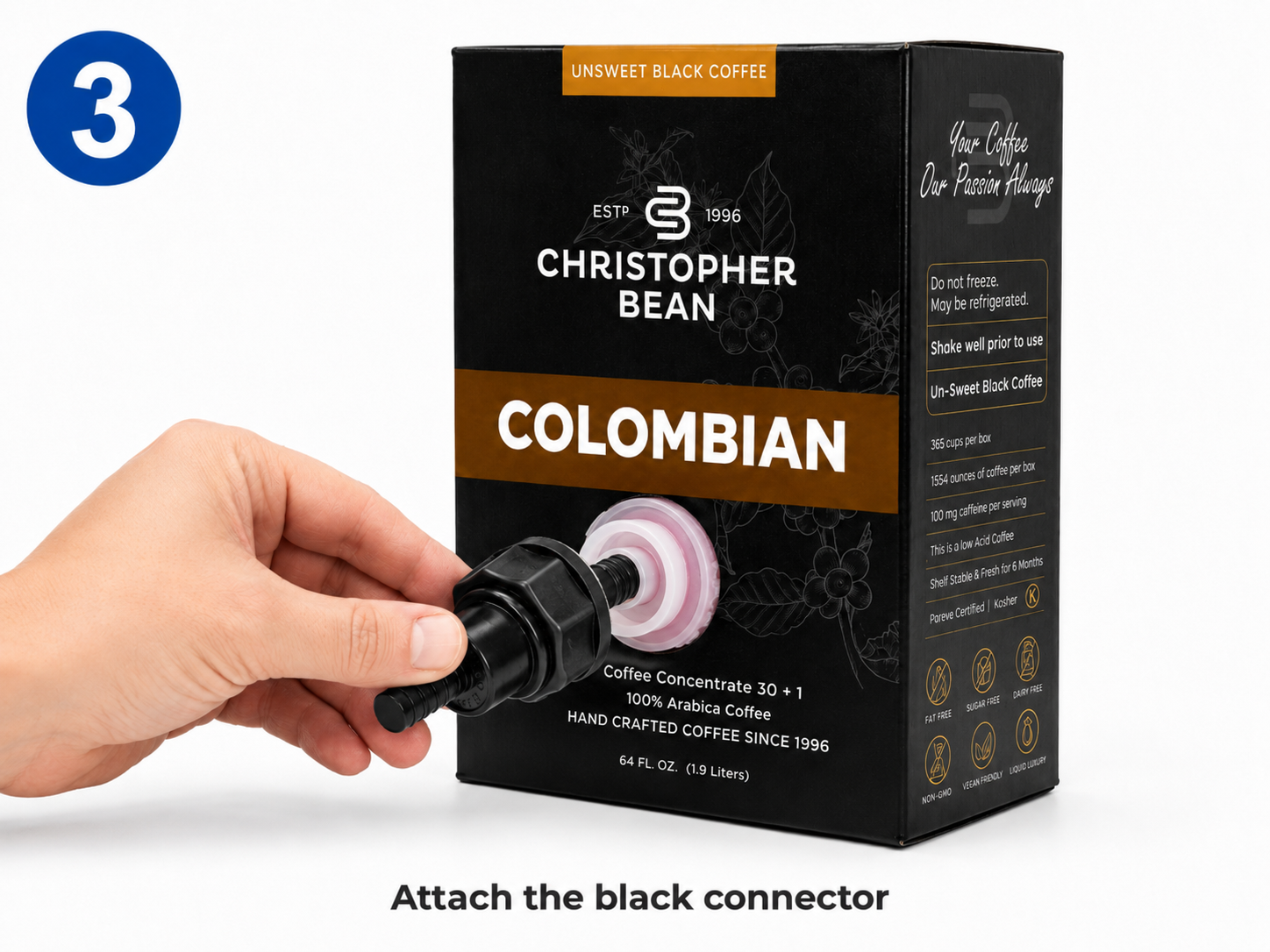
Pull the machine’s connector down toward the coffee box.
04
Line it up directly over the white fitment and attach it securely.
05
Make sure the connector is straight and completely seated.

Important: Do not force the connector or attach it at an angle

06
BUNN instructs the operator to connect the appropriate left or right BIB adapter before placing the box inside the dispenser.
Phase 3 / 6

Load the Coffee Box

01
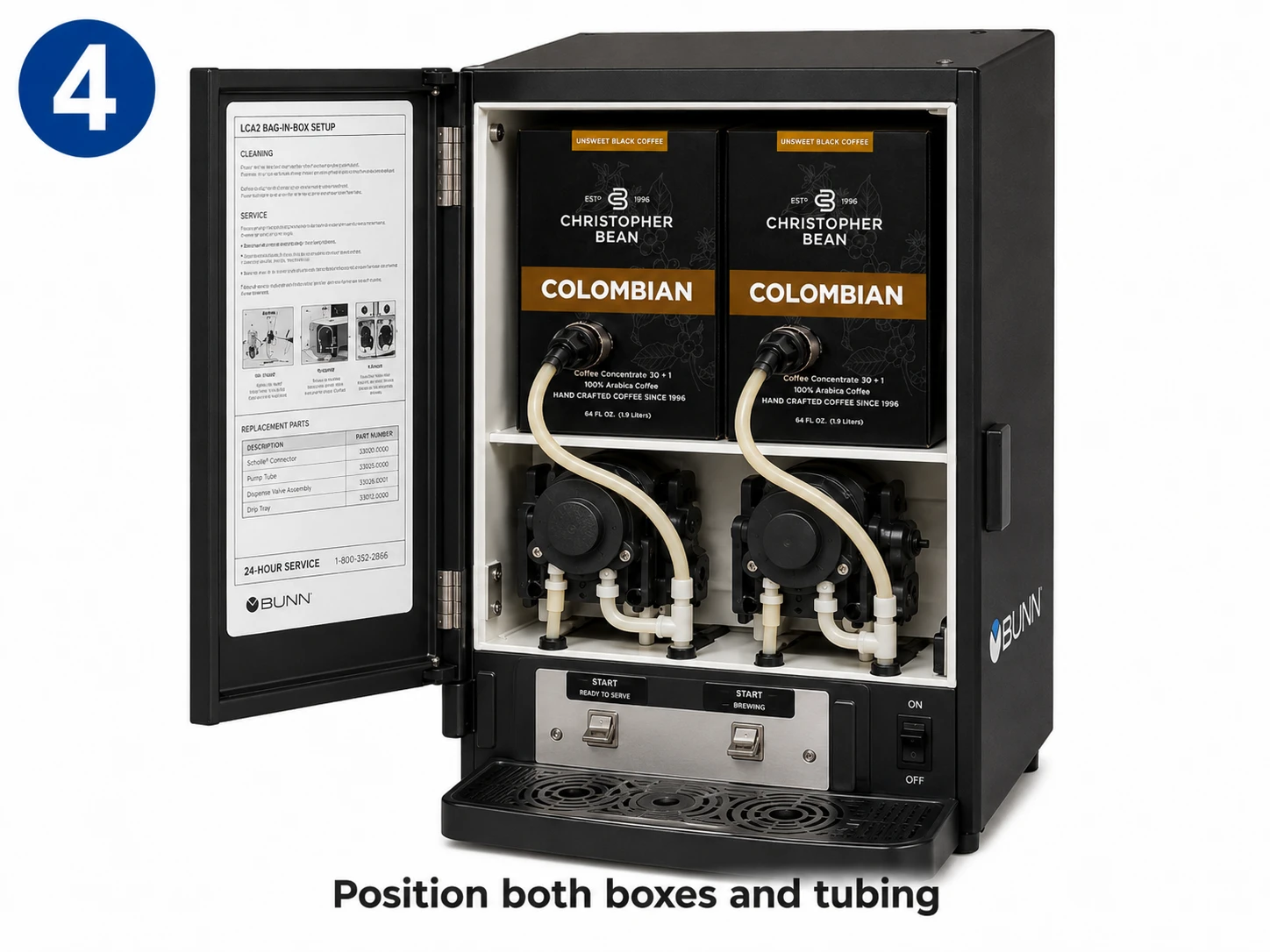
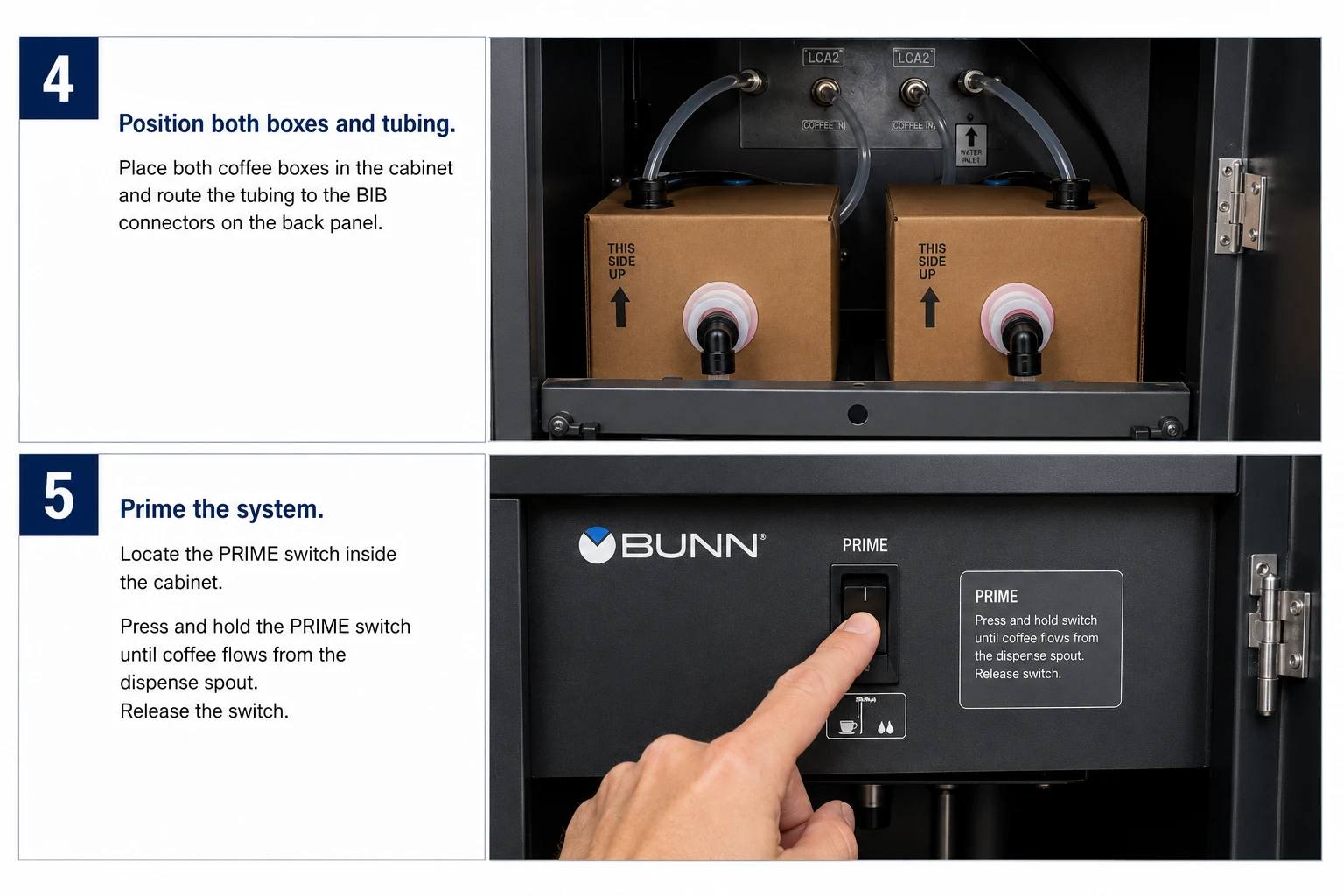
Place the connected coffee box upright inside the machine.
02
Position the box with the connector facing forward.
03
Rotate the BIB connector and arrange the tubing so that:
.
The tubing runs smoothly between the two pumps
.
There are no sharp bends.
.
The tubing is not twisted or pinched.
.
The tubing will not be caught when the door closes.
04
Follow the tubing-routing diagram located inside the dispenser door when available.
Phase 4 / 6

Prime the Coffee Line

01
Place a pitcher or large cup underneath the appropriate coffee dispensing nozzle.
02
Inside the machine, locate the two selector switches:
.
Function switch: Rinse – Normal – Prime
.
Mode switch: Run – Off – Night

Enter Prime Mode

01
Move the Function switch to Prime
02
Make sure the Mode switch is set to Run.
03
Close the dispenser door.
04
Pull and hold the dispensing handle for the coffee box you connected.
05
Continue holding until coffee concentrate begins flowing from the dispensing nozzle.
06
Release the dispensing handle.

Priming normally takes approximately 5 to 10 seconds, although a completely empty product line may take slightly longer.

Using two coffee boxes? Repeat this process using the other dispensing handle.

Using only one coffee box? Prime only the side connected to the coffee box. Do not operate the unused product pump unnecessarily.

Phase 5 / 6

Return the Machine to Normal Operation
01
Open the dispenser door.
02
Move the Function switch from Prime back to Normal.
03
Leave the Mode switch set to Run.
04
Close the dispenser door.
05
Discard the concentrate collected during priming.
06
A small amount of concentrate may continue dripping from the nozzle after priming. BUNN recommends running a rinse cycle when needed to clear remaining concentrate from the dispensing tip.
Phase 6 / 6

Test the Coffee

01
Place a cup beneath the appropriate dispensing nozzle.
02
Pull the coffee dispensing handle and dispense a small test cup.
03
The coffee should:
.
Flow smoothly without excessive sputtering
.
Have a consistent color
.
Dispense at a steady rate
04
Discard the first test cup.

You’re Ready to Serve

Once the coffee flows smoothly, the BUNN LCA-2 is ready for normal operation.

Quick Troubleshooting

No coffee is dispensing

Check that:

.
The protective cap or center plug was removed from the coffee-box fitment.
.
The BIB connector is completely attached.
.
The Function switch is set to Prime during priming.
.
The Mode switch is set to Run.
.
The tubing is not twisted, pinched or kinked.
.
The coffee box is not empty.

Coffee is sputtering

Air may still be inside the product line.

Return the Function switch to Prime and hold the appropriate dispensing handle until the concentrate flows steadily.

Then return the switch to Normal.

Coffee is too weak or too strong

First, confirm that the product line is completely primed.

If the problem continues, the dispenser’s coffee-to-water ratio may require adjustment.

Do not change the machine programming without contacting Christopher Bean Coffee or a qualified equipment technician.

The connector is leaking

Stop using that side of the dispenser.

Check that the connector is:

.
Straight
.
Completely attached
.
Free from cracks or damage
.
Connected to an undamaged coffee-box fitment

Disconnect and reconnect it carefully. Do not force the connector.

The Refill Light Is On

Check whether the coffee box is empty.

If the box still contains concentrate:

01
Confirm that the connector is completely attached.
02
Inspect the tubing for pinches or sharp bends.
03
Prime the product line again.

The LCA-2 includes refill and rinse indicator lights to alert the operator when concentrate or cleaning attention is required.

Write A Review

to top