 US Dollars




Newco LCD-2 Bag-in-Box Coffee Setup Guide
Connect and prime your Christopher Bean Coffee concentrate in just a few minutes.
Before you begin: This guide assumes your Newco LCD-2 is already connected to water and power and has been programmed for the correct coffee-to-water ratio. For plumbing, electrical installation or machine programming, contact a qualified service technician.
Prepare the Coffee Box

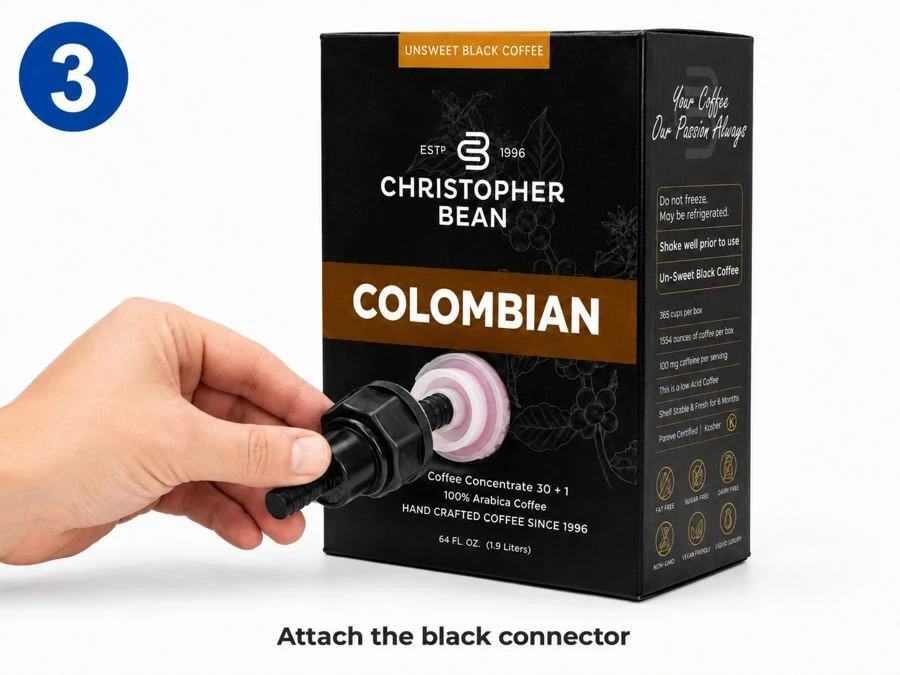
Connect the Coffee Line

Important:
Do not use tools and do not overtighten the connector.
Newco’s instructions specifically call for hand-tightening the connector to prevent damage.
Load the Coffee Box
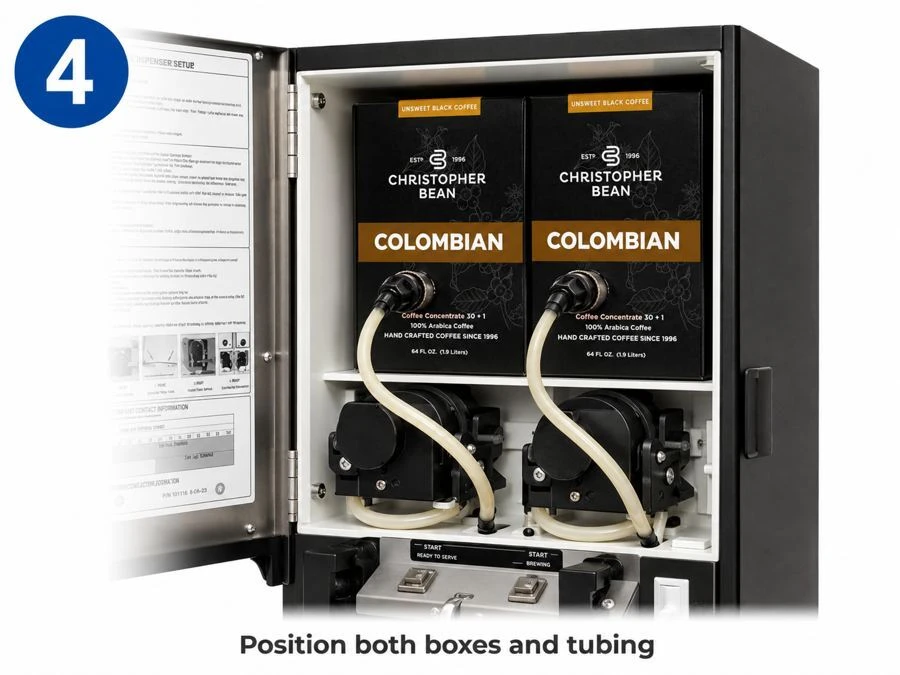
Place the connected coffee box inside the machine.
Arrange the tubing in a smooth loop.
Make sure the tubing is not twisted, pinched or kinked when the machine door is closed.
Prime the Coffee Pump
Place a pitcher or large cup beneath the dispensing nozzle.
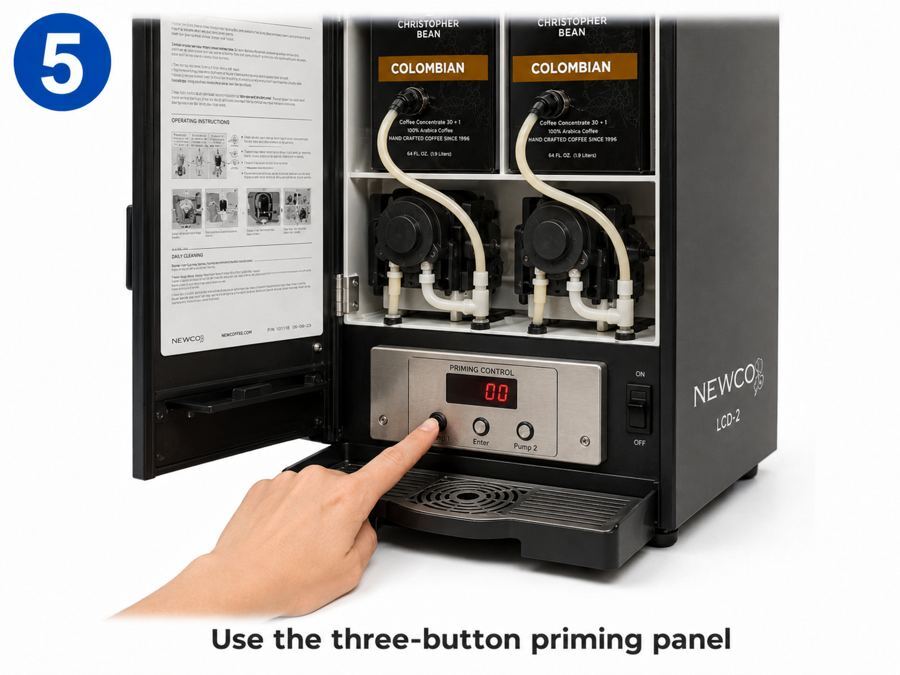
Open the machine door and locate the small three-button control panel.
To enter Prime Mode
Prime Pump 1
Prime Pump 2
The machine is now back in normal operating mode.
Using only one coffee box? Prime only the pump connected to your coffee box. Do not run an unused pump dry; press Enter to advance past it and exit Prime Mode.
These priming steps follow Newco’s current LCD-2 operating manual.
Test the Dispenser
You’re Ready to Serve
Once the coffee is flowing smoothly, close the machine door and begin normal use.
Quick Troubleshooting
No coffee is dispensing
Check that:
Coffee is sputtering
There may still be air in the product line. Repeat the priming process until the flow becomes steady.
Coffee is too weak or too strong
First, make sure the pump is fully primed. If the problem continues, the dispenser’s coffee-to-water ratio may need to be adjusted.
Contact Christopher Bean Coffee before changing the machine programming.
The connector is leaking
Stop using the machine and disconnect the coffee box.
Check that the connector is straight and properly threaded, then reconnect it by hand. Do not use pliers or other tools.